My Journey Running AI Locally: Taking Local to the Next Level
After weeks of experimenting with running AI models locally on my MacBook Pro I can share some more of my experiences and insights. I have enjoyed my setup a lot! I could for example keep working in the train without a stable internet connection! That felt like freedom. But I was curious, how far can I take this? How far can I push my local setup? Can I run even larger models locally? Can I run models that are more capable than Qwen3.6-35B-A3B? Let’s find out!
The Setup, Revisited
Like described in my previous post my setup consists of:
- MacBook M4 Pro to run everything local
- LM Studio for model management and JIT loading of models
- Qwen3.6-35B-A3B for fast, capable responses, vision capabilities, and excellent tool-calling
- MLX optimization for utilizing the integrated GPU
- Open Code as the agent harness, for smooth integration and execution of tasks
I’ve put this setup to work on a bunch of real world tasks:
- Creating this blog site
- Adding simple features to Stryker.NET
- Generating unit tests for straightforward functions
- Answering technical questions and explaining code
Qwen3.6-35B-A3B breezes through all of that. But for the harder stuff, generating visual slide decks, resolving complex merge conflicts, implementing non-trivial features in Stryker.NET, chasing subtle bugs across multiple layers, I have to reach for Qwen3.6-27B, its full-weight, non-MoE sibling. It’s noticeably more capable, but it’s also painfully slow: about 11 tokens per second on my hardware, best case. That’s the itch I spent this past month scratching. Can I get more speed out of this model without buying new hardware?
How Do They Stack Up Against Claude?
Since I keep leaning on these two models, I wanted a sense of where they actually sit on the capability ladder compared to the (previous) frontier models I’d otherwise be paying per-token for. Here’s how the public benchmarks line up:
| Benchmark | Qwen3.6-35B-A3B | Qwen3.6-27B | Claude Sonnet 4.6 | Claude Sonnet 5 | Claude Opus 4.6 | Claude Fable 5 |
|---|---|---|---|---|---|---|
| SWE-bench Verified | 73.4% | 77.2% | 79.6% | 82.1% | 80.8% | 95% |
| GPQA Diamond | 86.0%* | 87.8%* | 70.8% | — | — | 88.5% |
| MMLU-Pro | 85.2 | 86.2 | 75.6 | 86.8 | 77.3 | 91.2 |
| Terminal-Bench 2.0 | 24.6% | 59.3% | 59.1% | 76.1% | 65.8% | 88.0% |
* Qwen’s GPQA Diamond numbers come from their own reported figures; independent third-party reproductions are still missing, so I’d take these with a grain of salt.
A few things jump out. Qwen3.6-27B comes very close to Claude Sonnet 4.6 on SWE-bench Verified and within striking distance of Claude Opus 4.6, all while running fully offline on a laptop. Qwen3.6-35B-A3B, despite using only 3B active parameters per token, surprisingly even beats the Sonnet and Opus models on MMLU-Pro. The Qwen models are clearly competitive with the frontier models of the past, but they are still a step behind the current frontier, Claude 5 family. That said, the Qwen models are fully offline, and the cost of running them is zero once you have the hardware. For me, that makes them a compelling choice for local AI work. It is also worth noting that the Qwen models are still actively being released, so maybe the new Qwen3.8 models will close the gap to Claude 5.
Why Only 11 Tokens Per Second?
Before chasing optimizations, I wanted to actually understand where that ceiling comes from. Inference happens in two distinct phases, and they have very different bottlenecks.
Prefill: Reading Your Prompt
When you send a prompt, the model processes the whole thing at once in the prefill phase, computing attention across all tokens and building the KV cache. This phase is compute-bound: it’s dominated by matrix multiplications, so raw GPU TFLOPS decide how fast it goes. For a short prompt this is basically instant. For a 200k-token conversation, it can take minutes, because the model has to re-process every single one of those tokens before it can start responding.
Decode: Generating the Response
After prefill, the model enters decode, generating one token at a time. For every single token it has to read the entire set of model weights from memory, run them against the KV cache, and sample the next token. This phase is memory-bandwidth-bound: the GPU can sit there with idle compute while the memory bus works flat out just to stream the weights through.
Here’s the math for my machine. My M4 Pro has 273 GB/s of memory bandwidth. Qwen3.6-27B at 4-bit quantization weighs in at roughly 16 GB. Add the KV cache to that and you get the total memory footprint. Divide the two and you get a theoretical ceiling of about 17 tokens per second, if you could somehow use every last byte of that bandwidth on nothing but weight-streaming.
In practice I measure about 11 tokens per second, roughly 65% of that theoretical peak. That gap isn’t a bug, it’s normal. A few things eat into it:
- Decoding one token at a time means tiny, bursty memory reads instead of one big sequential stream, and memory controllers just don’t sustain their rated peak bandwidth under that access pattern
- The unified memory bus is shared with the OS, the display, and whatever else is running in the background
- Every step also has to read the growing KV cache, not just the static weights, and that overhead adds up in long conversations
That also explains why Qwen3.6-35B-A3B, which is only 3B active parameters per token, runs at about 70 tokens per second: only 3B of weights need to be streamed, so the memory bandwidth ceiling is much higher.
Chasing More Speed: MTP and Prefix Caching
If decode is bandwidth-bound, the only way to go faster without new hardware is to get more useful tokens out of each expensive pass over the weights. Two techniques promise exactly that.
Prefix Caching
During prefill, the model builds a KV cache from your prompt. If your agent harness sends the same system prompt every time (and mine does, every message in Open Code starts the same way), there’s no reason to recompute that part of the KV cache from scratch. Prefix caching reuses it. This matters most for long-running conversations: without it, continuing a 200k-token conversation means reprocessing all 200k tokens before you see a single new token. LM Studio, running on llama.cpp, does not currently support this for MLX models. Every message pays the full prefill cost again. I’ve opened a feature request for it, give it a thumbs up if you want to see it implemented!
Multi Token Prediction (MTP)
Multi Token Prediction, also known as speculative decoding, tries to squeeze more than one token out of each expensive weight-read. A draft mechanism proposes several candidate tokens, and the target model verifies all of them in a single forward pass. Since that verification pass reads the weights once but can validate N tokens at a time, an accepted batch of tokens costs roughly the same memory traffic as generating one token normally. The catch is the acceptance rate: how often the draft’s guesses match what the full model would have picked. High acceptance (>80%) gets you close to a N× speedup; low acceptance and the overhead isn’t worth it.
The kicker: MTP isn’t supported for MLX models in llama.cpp, and therefore not in LM Studio either. To use it at all you need GGUF, which on my M4 Pro is already slower out of the gate. I tested Qwen3.6-27B in GGUF with MTP enabled and the numbers didn’t add up: prefill actually took longer, and decode landed at about the same speed as plain MLX without MTP. Not worth the trade-off.
So I went looking for a way to get MTP without giving up MLX.
LM Studio alternatives
This month I tried two new tools that promise to bring MTP and other enhancements to MLX models: MLX Studio and MTPLX. Here’s how they stack up against LM Studio:
| Tool | Pros | Cons | Tps Qwen-27b | Verdict |
|---|---|---|---|---|
| LM Studio | Rock solid, clean UI, JIT loading | No prefix caching, no MTP for MLX | 11 | Still my daily driver |
| MLX Studio (vMLX) | Prefix caching + MTP built in, chat/code/image-gen in one app | LLMs crash often from memory spikes | 15 | Promising, not stable enough yet |
| MTPLX | No second draft model needed, uses native MTP heads. Promises 2x speed. | Whole system crashed repeatedly | 25 | Not usable for me right now |
MLX Studio
This month a tool called MLX Studio landed on my radar, an all-in-one macOS app built on top of an inference engine called vMLX. On paper it’s exactly what I’ve been missing: a five-layer caching system (prefix caching, paged KV cache, quantized caching, continuous batching, and disk caching) plus native speculative decoding, no need to give up MLX or switch to GGUF.
I loaded Qwen3.6-27B into MLX Studio to finally break past 11 tokens per second! I got to 15 tokens per second. However, I watched memory usage spike and the app crash mid-response, more than once. The UI itself is decent, not quite as polished as LM Studio, but perfectly usable, and the feature set (chat, code, image generation, a pile of agentic tools) is genuinely impressive on paper. It can even quantize or convert GGUF models to MLX format for you. It just isn’t stable enough for me to trust with real work yet.
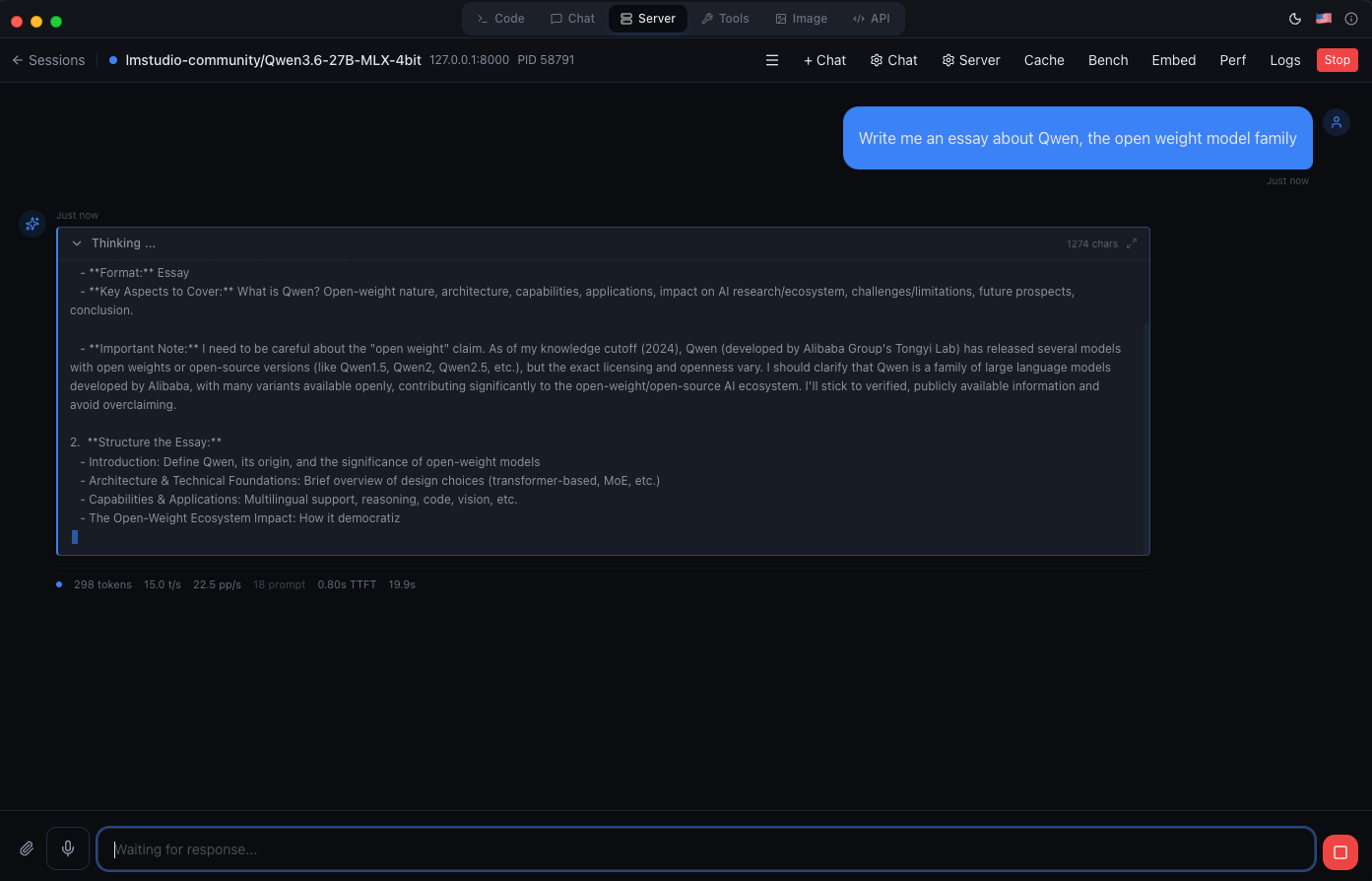
MLX Studio seems promising, but not stable enough yet.
MTPLX
I also separately tried MTPLX, a standalone tool that injects MTP specifically into MLX models. What’s clever about it is that it doesn’t need a separate draft model at all, it uses the target model’s own built-in MTP heads to draft candidate tokens, which keeps your full memory budget free for the actual model. When selecting a model it takes a while to “optimize” it. When it finally loaded it gave me an impressive 25 tokens per second!
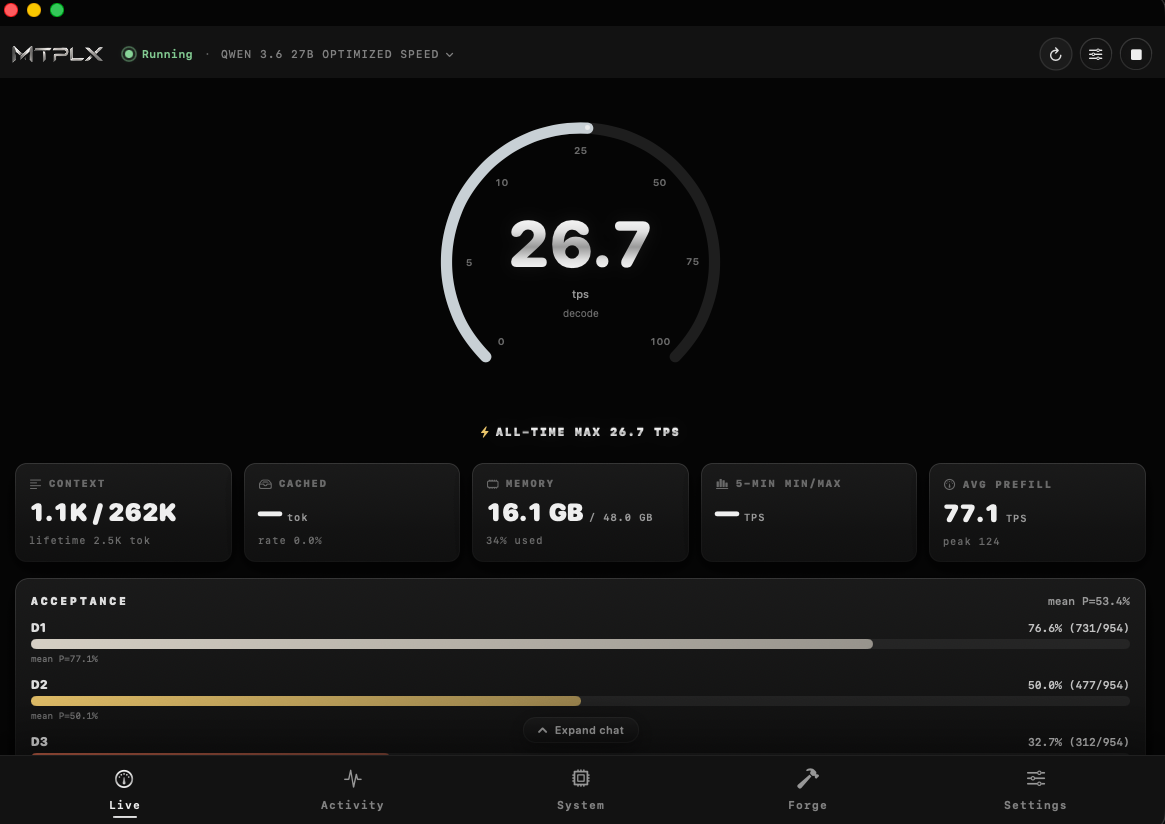
MTPLX has a polished UI, clearly focussed on performance.
But in practical use MTPLX fared no better: it crashed my Mac outright a couple of times while testing MTP against Qwen3.6-27B, which makes it a non-starter for me.
My conclusion for now: LM Studio with MLX remains the most reliable way to run models locally on my Mac. I’ll keep an eye on both MLX Studio and MTPLX. Once they become more stable, I expect them to provide a meaningful jump in tokens per second on the exact same hardware. It also shows that there are definitely other ways to get more speed out of the same hardware, and that the 11 tokens/second ceiling isn’t a fundamental limit, just a practical one for now. LM Studio (and thus llama.cpp) can definitely be improved on the performance front, and I hope to see that happen in the future.
Doing More With Less: RTK and ThinkingCap
If I can’t push past that ~11 tokens/second hardware ceiling right now, the next best lever isn’t speed, it’s needing fewer tokens in the first place. That’s where I’ve actually made the most progress this month.
RTK (Rust Token Killer) is a CLI proxy I’ve wired into Open Code via a hook. It transparently rewrites everyday dev commands, git status becomes rtk git status behind the scenes, before their output reaches the model, filtering out the noise the model doesn’t actually need. It claims 60-90% savings on typical dev operations, and from what I can tell in practice, that’s roughly right. Since it’s hook-based, it costs me nothing to use, it just works in the background.
ThinkingCap-Qwen3.6-27B, a fine-tune of Qwen3.6-27B from BottleCap AI, attacks the problem from a different angle: reasoning tokens. It’s trained with reinforcement learning to spend its thinking budget more strategically, cutting thinking-token usage by about half on average while holding onto the base model’s accuracy. On GPQA-Diamond, for example, it dropped from 10,777 to 3,351 thinking tokens (a 67.8% reduction) while staying highly accurate.
I swapped my plain Qwen3.6-27B for Qwen3.6-27B-ThinkingCap and paired it with RTK. The tokens-per-second number in the corner hasn’t moved, it’s still around 11. But since each task now burns through far fewer thinking tokens, and RTK strips a chunk of tool-output tokens before they ever reach the model, the effective time to a useful result dropped substantially. Tasks that used to mean staring at a spinner while the model churned through pages of reasoning now resolve noticeably faster in wall-clock time, even on the same hardware at the same raw speed.
Going Extreme: Ternary Bonsai 27B
While I was settling into the ThinkingCap workflow, I got curious how much further quantization could go. My usual MLX setup runs Qwen3.6-27B at 4-bit, about 16 GB. Ternary Bonsai 27B from PrismML pushes it down to ternary weights, an average of just 1.71 effective bits per weight, shrinking the same model to roughly 5.9 GB.
That’s a massive drop in RAM usage for what’s still, on paper, the same 27B model underneath. The question is how much intelligence you give up for it. PrismML ran it against a 15-benchmark suite covering knowledge, reasoning, math, coding, tool use, and vision, and it holds up better than I expected almost everywhere, except one category:
| Benchmark category | Qwen3.6-27B (full weight) | Qwen3.6-27B-ThinkingCap | Ternary Bonsai 27B (q2, ~1.71 bpw) |
|---|---|---|---|
| Overall average (15-bench suite) | 85.0 | ~85.0 | 80.5 (95% retention) |
| Math | ~95 | ~95 | 93.4 |
| Coding | ~90 | ~90 | 86.0 |
| Agentic tool use | 80.0 | ~80.0 | 74.0 |
Math and coding barely move. Agentic tool use and coding take the biggest hit, a 7.5% and 4.4% relative drop compared to math’s roughly 2%, which turned out to be exactly the category that matters most for how I actually use this model.
My first attempt at running it didn’t even get that far: LM Studio flat out refused to load the ternary GGUF, no error message, just a model that never finished loading. A recent LM Studio update fixed that, and once it loaded, the speed difference was immediately obvious: ~25 tokens per second, more than double my usual 11 tokens/second on the 4-bit version. That tracks with the memory-bandwidth math from earlier: at 5.9 GB instead of 16 GB, the theoretical ceiling on my M4 Pro jumps to roughly 46 tokens/second, and 25 tokens/second is in the same ballpark once you apply the same real-world overhead I measured before, maybe even a bit less efficient, likely because ternary matrix kernels aren’t as optimized yet as regular 4-bit ones.
Then I pointed Open Code at it, and it fell apart immediately:
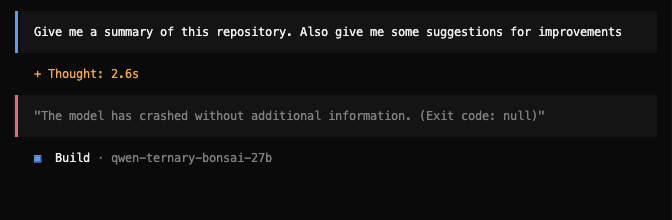
Ternary Bonsai 27B crashing in Open Code before it can produce a single token of output.
It started “thinking,” and then crashed outright, exit code null, no useful error message, before returning a single token of response. Given that agentic tool use is exactly the benchmark category that degrades the most under this quantization, this doesn’t feel like a coincidence. Open Code’s system prompt and tool-calling format are demanding, and it seems ternary Bonsai just can’t hold onto that structure reliably. Hopefully future updates to LM Studio, Open Code, or the model itself will improve that, but for now, it’s not a viable option for me.
Conclusion
Running LLMs locally on MacOS is not as polished as it is on other platforms like Linux. The same tools exist, but with limitations. Without optimizations like MTP and prefix caching it just isn’t performing as well. Alternatives exist, but are still experimental and I wouldn’t recommend them for now. I tried to get Qwen3.6-27B up to a usable tokens per second, but for now it seems it is just not possible. I’ll stick with Qwen3.6-35B-A3B on my Mac.
However, the hardware sure is capable of much more! Hopefully soon llama.cpp will catch up for MacOS and we will be able to squeeze out a lot more performance.
Next Up
I recently got my hands on a Dell Max Pro GB10 server (thanks Willem!) to see if I can run larger, more capable models and finally break past what my M4 Pro can do. Stay tuned for my next post, where I’ll share how that experiment went.
Meanwhile, keep an eye on the recently announced Qwen3.8 models, which promise to be even more capable than the 3.6 family. If they can close the gap to Claude 5, we may have a new local AI champion on our hands!